
-
Go to Users > Manage Users
-
Search for the individual user and click their name in the user list to view their User Details page

-
Click More Actions in the top right and select Manage Labels
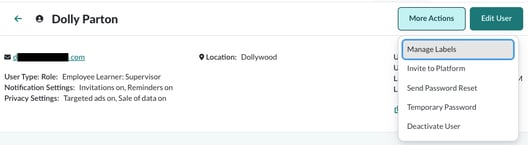
-
You will see all available categories as a separate dropdown menu. You can add, edit, or clear label options for each category.
-
Click Save when you are finished editing the user’s categories and labels.