
You may need to edit a user’s location when they move to a different office or work site. Locations must already exist in your account before they can be assigned to a user.
Note: If the location you want does not appear in the list, you must create it first. See Add a Location for instructions.
Edit a user’s location
- Go to Users > Manage Users
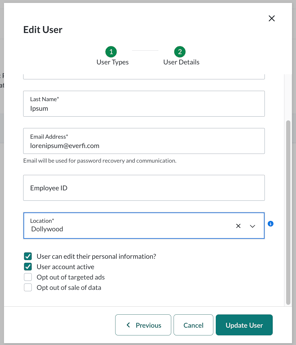
- Find the user you want to update and select their name to open the user profile
- Select Edit User
- Select Next to move through the profile fields
- Scroll to the Location field
- Select the new location from the dropdown
- Select Update User to save your changes
The updated location is applied immediately.