
The Learner Q&A Tool allows you to provide learners with a clear way to ask questions about their work location’s violence prevention plan directly from the course menu in Preventing Workplace Violence.
This tool can be configured as a link, a PDF upload, or text content. Each option directs learners to the appropriate resource or contact method set by your organization’s administrator.
Important: California law (SB 553) requires employers to give employees a way to ask questions about their workplace violence prevention plan. Enabling the Learner Q&A Tool helps support compliance with this requirement.
Set Up the Learner Q&A Tool
To configure this resource as an admin:
- From the left navigation, go to Content and select Content Library
- Find Preventing Workplace Violence and click Configure
- Scroll to Additional Configurations and locate Learner Q&A

- Click Add/Upload Resource on the right
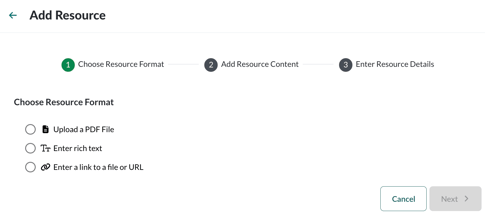
- Choose a Resource Format (link, PDF, or text), then click Next to add the resource
Once configured, the Learner Q&A option appears in the course menu so learners can easily access information or submit questions as needed.