
Change Your Dashboard Language
If you want to view your learner dashboard in a language other than English:
- From your learner dashboard, select your name in the top‑right corner
- From the drop‑down menu, select Language
- Choose your preferred language from the available options
[Screenshot: Learner profile menu with Language option]
Select a Language Inside a Course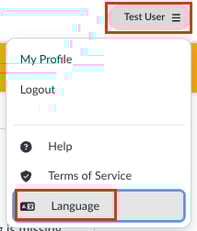
When you launch a new course, you may be prompted to select a language for the in‑course experience.
This selection applies to that course and allows you to view course content in the language you choose, if available.
Language Availability
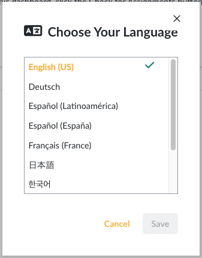 Language options vary by course. Not all courses are available in all languages.
If you do not see your preferred language listed, that course may not currently support it.