
Overview
Unassigning learners removes them from a specific assignment. This action does not delete the learner from Foundry and does not affect other assignments.
Unassign Learners
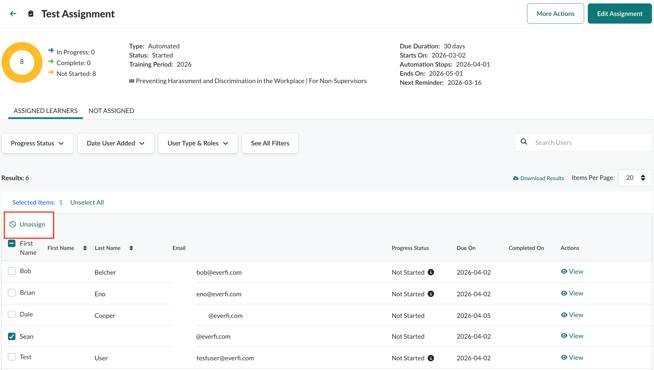
To unassign one or more learners from an assignment:
- Log in to Foundry as an Administrator
- Go to Assignments
- Select the assignment you want to update
- On the Assigned Learners tab, select the checkbox next to the learner or learners you want to remove
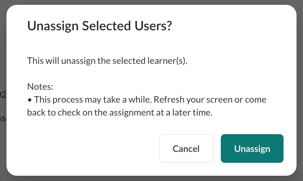
- Select Unassign
- In the confirmation modal, select Unassign to confirm
The selected learners are removed from the assignment.
Important Notes
- Unassigning learners takes effect immediately
- Learners removed from an assignment will no longer see or access the assigned content through that assignment
- You can reassign learners later by creating a new assignment or updating an existing one