
Overview
If a user is currently set up as a learner but needs administrator access, you can update their existing user profile. A user can hold both learner and administrator roles at the same time.
Update User Permissions
To update a learner to an administrator:
- Log in to Foundry as an Administrator
- Go to Users > Manage Users
- Search for the user and select their name to open the user profile

- Select Edit, then select Edit User
- Open User Types and Roles
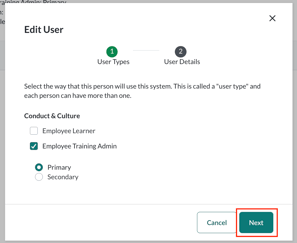
- This is a multi‑select menu
- Select the appropriate Administrator user type(s)
- Available options may vary depending on your organization’s setup
- Select Next, then Update User to save your changes
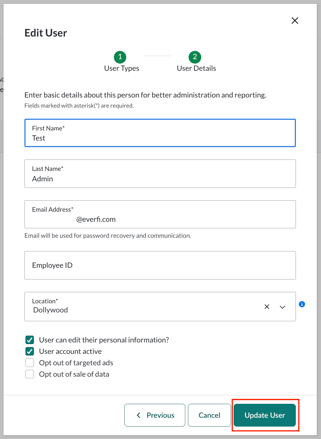
The user is now an administrator and retains learner access unless removed.
Important
Updating a user to an administrator grants access to sensitive areas of Foundry, including:
- Viewing and editing learner data
- Managing assignments
- Updating course configurations
Only assign administrator roles to users who require this level of access.