
Overview
The Year‑Over‑Year (YoY) Survey Dashboard allows you to compare survey responses and participation across multiple time periods. This report helps you evaluate trends by reviewing survey data from selected courses and evaluations over a defined date range.
You can compare results by Training Period or by a custom month‑and‑year range to understand how responses change over time.
Course Summary
The top section of the dashboard displays all courses and associated evaluations that:
- Are active
- Have survey activity in your account
The number shown next to each survey represents the total number of responses collected.
To view results:
- Select a survey by clicking its row, or
- Select a survey from the Evaluation dropdown
Once selected, survey results load in the section below.
Survey Section Details
Survey results display only when there are at least 20 responses.
This section breaks results down by survey section and shows each question’s:
- Answer count (N)
- Percentage of total responses
Use the filters at the top of the report to refine results:
- Search Survey
- Section Title
- Sort By: Display Order or Answer Count
- Sort Order: Ascending or Descending
- Date Filter: Training Period or Custom Date Range (Month/Year)
These filters allow you to focus on specific sections, questions, or timeframes.
Exporting the Data
You can export survey results and visualizations for sharing or printing.
To export: 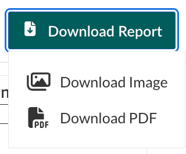
- Select Download Report in the upper‑right corner
- Choose Download PDF or Download Image
When exporting a PDF, a modal opens where you can choose:
- This View to export what is currently displayed
- Specific Sheets to export selected sections
After the file downloads, open it to review or print.